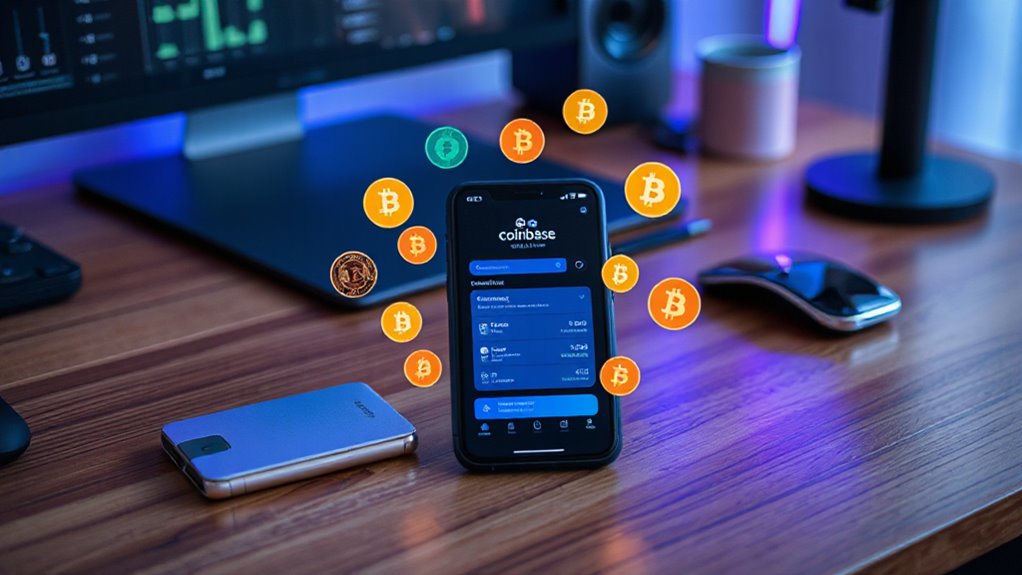

Coinbase Wallet is a mobile app for managing cryptocurrencies. Developed by Coinbase, it allows users to control their digital assets independently. The wallet supports thousands of cryptocurrencies, including Bitcoin and Ethereum. It has strong security features like two-factor authentication and biometric options. Users can connect to decentralized applications, explore dApps, and manage non-fungible tokens. Coinbase Wallet is available on iOS and Android, making it easy to use for anyone interested in digital currencies. There’s more to discover about its features and benefits.
Coinbase Wallet is a popular mobile wallet that allows users to manage their cryptocurrencies easily. Developed by Coinbase, a well-known cryptocurrency exchange, it’s designed for self-custody. This means users can store, manage, and interact with their digital assets without relying on a third party. With Coinbase Wallet, individuals have full control over their cryptocurrencies, letting them connect directly with decentralized applications, or dApps.
One of the main reasons people choose Coinbase Wallet is its wide support for different cryptocurrencies. Users can manage thousands of digital currencies, including popular ones like Bitcoin, Ethereum, Solana, and Dogecoin. The wallet’s user-friendly interface makes it simple for even beginners to navigate. It aligns with the decentralized principles of blockchain technology by giving users complete control over their private keys and enables access to various blockchain-based applications(dApps). Additionally, the wallet supports access to decentralized applications (dApps) which enhances the overall user experience. Crypto wallets are essential tools for managing digital assets efficiently.
Coinbase Wallet offers extensive cryptocurrency support, empowering users with a straightforward interface and full control over their private keys.
Security is a top priority for Coinbase Wallet. It includes advanced features like two-factor authentication and biometric options, such as fingerprint and face recognition. Users also have the ability to back up their wallet with a recovery phrase, ensuring they won’t lose access to their assets. For those seeking even more security, the wallet can integrate with hardware wallets like Ledger.
Coinbase Wallet also excels in connecting users to the world of dApps. It includes a built-in Web3 browser, allowing individuals to explore decentralized finance (DeFi) protocols and various blockchain applications directly from the app. Users can even store and manage non-fungible tokens (NFTs) across different blockchain networks.
The wallet is accessible on both iOS and Android devices, providing mobile convenience. Users can also access it via a Chrome extension on desktop. Additionally, Coinbase Wallet can be linked to the main Coinbase exchange, which simplifies buying and selling cryptocurrencies.
Frequently Asked Questions
Can I Store Any Cryptocurrency in Coinbase Wallet?
Not all cryptocurrencies can be stored in Coinbase Wallet. It supports popular coins like Bitcoin, Dogecoin, and Ethereum.
Users can also store thousands of other assets, including ERC-20 tokens. However, it doesn’t support certain coins such as Bitcoin Cash, Ethereum Classic, Stellar, or Ripple.
The wallet is designed for managing assets securely while giving users control over their private keys. As a result, users should check compatibility before storing a specific cryptocurrency.
Is Coinbase Wallet Available in All Countries?
Coinbase Wallet is available in over 130 countries, making it accessible to many users worldwide.
However, some features might vary based on local laws and regulations. Not all services are available in every country, and certain cryptocurrencies may not be supported due to these rules.
Users can generally use the wallet unless their country has specific bans on cryptocurrency.
How Do I Recover My Coinbase Wallet if I Lose Access?
Recovering a Coinbase Wallet after losing access involves specific steps.
Users can open the mobile app and select a recovery method. They can either enter their 12-word recovery phrase or use a cloud backup.
After inputting the necessary information, users set up security measures like biometric or passcode protection.
It’s crucial to recognize that losing the recovery phrase can prevent access, making careful storage essential for future recovery.
Are There Any Fees for Using Coinbase Wallet?
When using Coinbase Wallet, users don’t pay fees directly to Coinbase.
However, they do incur network fees, like Ethereum gas fees, for transactions. These fees vary based on the blockchain and current network conditions.
Users should also be aware that converting cryptocurrencies on external platforms may involve additional charges.
Can I Link Coinbase Wallet to My Bank Account?
Coinbase Wallet doesn’t allow users to link their bank accounts directly.
Instead, users must first transfer funds from a linked Coinbase.com account or another wallet. This means they can’t buy cryptocurrencies directly through the wallet.
To fund Coinbase Wallet, they can send cryptocurrency from other sources.
It’s important for users to understand this process to manage their funds effectively within the Coinbase ecosystem.